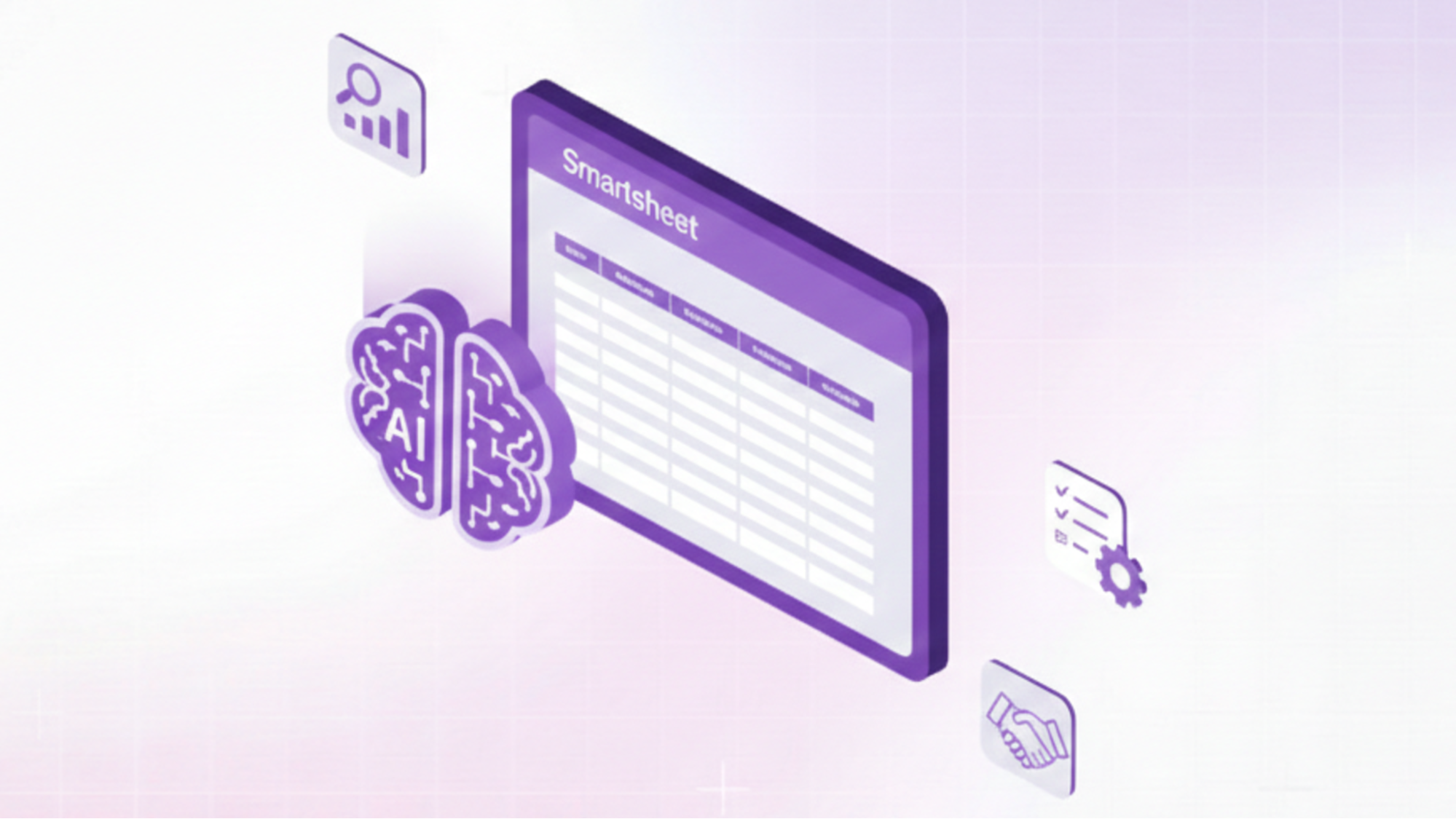



Sales enablement engineers face a constant challenge: equipping revenue teams with the right knowledge, collateral, and processes while managing an ever-growing library of product information, competitive intelligence, and customer success stories. Smartsheet has become a popular platform for organizing sales enablement workflows, tracking content creation, and managing cross-functional projects.
However, when your sales team needs a battlecard for a competitive deal at 10 PM before an early morning pitch, they're not opening Smartsheet to browse rows and columns. When presales engineers need technical specifications during a live demo, they're not going through project management grids. The gap between where knowledge lives and where teams actually work (Slack, email, CRM, live customer conversations) creates friction that slows deals and frustrates everyone involved. Combining Smartsheet AI sales enablement engineer workflows with autonomous AI agents bridges this gap, transforming static project management into dynamic knowledge delivery.
This comprehensive guide explores how sales enablement engineers can leverage Smartsheet combined with AI to automate content delivery, accelerate sales cycles, and scale enablement across growing teams. We'll cover specific use cases, implementation strategies, and proven setup approaches that deliver measurable results.
Understanding the sales enablement engineer's challenge
Before diving into solutions, let's examine why sales enablement remains challenging even with robust tools like Smartsheet.
The knowledge access problem
Sales enablement engineers typically maintain hundreds or thousands of assets: product datasheets, competitive battlecards, case studies, ROI calculators, presentation decks, demo scripts, pricing guides, security documentation, and more. Smartsheet excels at organizing this content with metadata, tracking versions, managing approval workflows, and coordinating updates across teams.
The problem emerges when sellers need this knowledge: they don't remember the Smartsheet grid structure, can't recall which folder contains the relevant asset, and don't have time to browse through organized hierarchies when a prospect is waiting for an answer. According to research from CSO Insights, sales reps spend 440 hours annually searching for or creating content that already exists; time that could be spent selling.
The contextualization challenge
Even when sellers find relevant content, they often struggle to contextualize it. The standard product presentation works for enterprise buyers in healthcare but needs significant modification for mid-market financial services prospects. The competitive battlecard for Competitor A should emphasize different points when the prospect previously used Competitor B.
Sales enablement engineers know this context matters, but creating customized versions of every asset for every scenario becomes unmanageable. The result: sellers use generic content that doesn't resonate, modify assets without version control, creating inconsistency, or spend hours customizing rather than selling.
The velocity versus quality tradeoff
Sales enablement teams face constant tension between speed and quality. Rushing content creation to meet immediate sales needs sacrifices quality and thoroughness. Taking time for proper review, approval, and refinement means opportunities move forward without optimal collateral.
This tradeoff becomes especially painful during high-velocity periods, end-of-quarter pushes, product launches, and competitive displacement campaigns. Enablement engineers can't magically work faster, so either quality suffers, or sales teams proceed without proper support.
Core use cases: Smartsheet AI sales enablement engineer workflows
Let's explore specific scenarios where combining Smartsheet with AI transforms sales enablement effectiveness.
Use case 1: automated competitive battlecard delivery
- The scenario: Your company competes against 8-10 primary competitors across different market segments. You've built comprehensive battlecards in Smartsheet tracking competitor strengths, weaknesses, messaging, recent news, and win strategies. The battlecard grid includes columns for competitor name, last updated date, key differentiators, objection handling, and proof points.
- The traditional challenge: Sales reps need battlecard information during active deals, but rarely proactively check Smartsheet for competitor updates. By the time they search for a battlecard, the competitive intelligence might be outdated, or they grab the wrong version.
- The Smartsheet + AI solution: Connect your Smartsheet competitive intelligence grid to an AI platform that monitors deal activity in your CRM. When a sales rep identifies a specific competitor in an opportunity, the system automatically delivers the relevant battlecard via Slack with highlights tailored to that deal's characteristics (industry, deal size, buyer concerns).
Sales reps ask natural language questions like "how do we beat Competitor X on integration capabilities?" and receive answers synthesized from your Smartsheet battlecard content, recent competitive wins, and product documentation, without ever opening Smartsheet.
For teams managing competitive intelligence at scale, SiftHub's Battlecard Agent can generate real-time competitive positioning by connecting to your Smartsheet grids and other knowledge sources, ensuring sales teams always have current intelligence without manual delivery.
Use case 2: dynamic product collateral personalization
- The scenario: Your enablement team maintains a master Smartsheet grid of all sales collateral with metadata columns for industry, buyer persona, deal stage, product line, and use case. You have 50+ one-pagers, case studies, and solution briefs that need to reach the right sellers at the right time.
- The traditional challenge: Sellers don't know which collateral exists for their specific scenario. They either use generic materials, spend time searching through folders, or request custom one-pagers from marketing, creating bottlenecks and delays.
- The Smartsheet + AI solution: AI analyzes your Smartsheet metadata and CRM opportunity data to automatically recommend relevant collateral. When a rep enters discovery notes mentioning "remote workforce" and "security concerns," the AI surfaces case studies and one-pagers tagged for remote work and security use cases in your Smartsheet grid.
Even better, the AI can generate personalized versions of standard collateral by pulling customer-specific details from CRM and customizing messaging based on Smartsheet-tracked buyer persona preferences, creating tailored materials in minutes rather than hours.
SiftHub's Sales Collateral Builder enables exactly this workflow, creating personalized one-pagers and solution briefs shaped to each buyer's exact needs by connecting to your content metadata and deal context.
Use case 3: RFP response automation with version-controlled content
- The scenario: Your organization receives 20-30 RFPs monthly. You've built a Smartsheet grid with pre-approved answers to common questions, organized by category (product capabilities, security, pricing, company background). Each answer includes approval status, last review date, and assigned owner for updates.
- The traditional challenge: When RFPs arrive, your bid team manually searches the Smartsheet grid for relevant answers, copies content into response documents, and coordinates with subject matter experts for questions not covered. This process takes 15-25 hours per RFP.
- The Smartsheet + AI solution: Upload the RFP to an AI platform connected to your Smartsheet answer library. The AI maps each RFP question to relevant Smartsheet content, auto-populates responses with approved answers, flags questions requiring new content, and generates a first draft in minutes.
The Smartsheet grid remains your single source of truth for answer governance. When content gets updated there, all future RFP responses automatically use the new version. Presales and solutions teams review and refine AI-generated drafts rather than building responses from scratch.
Use case 4: sales training content delivery
- The scenario: Your enablement team uses Smartsheet to track training module development, certification requirements, and knowledge check questions. You have 15 product training modules, 8 competitive training sessions, and 12 methodology certifications, all tracked across various grids.
- The traditional challenge: New hires receive a training schedule pointing them to various Smartsheet grids, recorded sessions, and documentation. They're overwhelmed by the volume of content and struggle to find answers to specific questions during their first live calls.
- The Smartsheet + AI solution: New reps interact with an AI assistant that accesses all Smartsheet training content, recorded sessions, and documentation. They ask questions like "how do I handle pricing objections for enterprise deals?" and receive synthesized answers drawing from relevant training modules, certification content, and recorded role-play sessions.
The AI tracks which training content each rep accesses and automatically updates completion status in Smartsheet. Enablement engineers identify knowledge consumption gaps and proactively deliver targeted content or coaching.
Setting up Smartsheet AI sales enablement engineer workflows
Implementing these use cases requires a thoughtful setup connecting Smartsheet governance with AI-powered delivery. Here's a practical implementation guide.
Step 1: Audit and structure your Smartsheet content
Before connecting AI, ensure your Smartsheet grids include rich metadata enabling intelligent content delivery:
Essential metadata columns:
- Content type (battlecard, case study, one-pager, FAQ, training module)
- Product/solution area
- Industry or vertical
- Buyer persona
- Deal stage relevance
- Last updated date
- Content owner
- Approval status
- Keywords or tags
Consistent metadata allows AI to understand content context and determine when specific assets are relevant. A case study tagged for "healthcare," "enterprise," and "integration use case" can be surfaced automatically when those criteria match a live deal.
Step 2: Establish content governance workflows
Define who owns different content types, how updates get approved, and how version control works:
Governance framework:
- Subject matter experts own content updates within their domain
- Enablement engineers review for messaging consistency and completeness
- Legal/compliance approves specific content types (pricing, contracts, security claims)
- Smartsheet tracks approval status and enforces review before publication
- Automated reminders prompt content owners to review materials quarterly
This governance ensures AI delivers accurate, approved content rather than propagating outdated or incorrect information.
Step 3: Connect Smartsheet to your AI platform
Integration approaches vary by platform, but generally involve:
- API integration: Connect via Smartsheet's API to allow the AI to read grid data, metadata, and attachments. Set up webhooks so the AI gets notified when content updates occur.
- Content synchronization: Determine sync frequency, real-time for critical content like competitive intelligence, and daily for more static materials like company background. Balance freshness needs against API rate limits.
- Permission mapping: Ensure AI respects Smartsheet permissions.If certain content is restricted to specific teams, the AI should enforce those same access controls.
- Attachment handling: Many Smartsheet grids link to external documents. Configure the AI to access these attachments (PDFs, presentations, spreadsheets) so it can answer questions from complete content, not just grid text.
Step 4: Configure AI delivery channels
Determine where and how sales teams should access AI-powered content:
- Slack integration: Most effective for quick questions during active deals. Sales reps ask the AI bot competitive questions, product specs, or process guidance, and receive instant answers synthesized from Smartsheet content.
- CRM integration: Embed AI assistance directly in Salesforce or HubSpot opportunity records. Context-aware suggestions based on deal characteristics (industry, competitor, stage) automatically surface relevant Smartsheet content.
- Email integration: Allow sellers to forward prospect questions to an AI email address that responds with relevant information from your Smartsheet knowledge base, maintaining the email thread context.
- Web interface: Provide a searchable portal for complex research or browsing, when sellers have time for deeper exploration rather than quick answers.
Step 5: Train teams and measure adoption
Technology alone doesn't drive adoption; enablement engineers must actively promote and demonstrate value:
Training approach:
- Live demos showing how AI answers common questions faster than manual searching
- Use case workshops where sellers practice asking questions about their actual deals
- Champions program identifying early adopters who evangelize to peers
- Regular "tips and tricks" communications highlighting new capabilities
Adoption metrics:
- Questions asked per user per week
- Content consumption (which Smartsheet assets get surfaced most frequently)
- Time saved compared to manual content searches
- Seller satisfaction scores
- Impact on deal velocity for opportunities where AI was actively used
Measuring ROI: quantifying Smartsheet AI sales enablement impact
Enablement leaders need clear metrics demonstrating how Smartsheet AI workflows improve outcomes:
Efficiency metrics
Time savings:
- Hours saved per seller per week searching for content
- Reduction in the enablement team's time spent distributing materials
- Faster RFP response times when using AI-powered Smartsheet content
Content utilization:
- Percentage of Smartsheet assets actively used (proving you're not creating content that sits unused)
- Number of unique assets accessed per seller monthly
- Distribution of content usage (identifying whether all sellers engage or just power users)
Effectiveness metrics
Sales performance:
- Win rate differences for deals where sellers actively used AI-powered content versus those who didn't
- Average deal size for opportunities supported with personalized collateral
- Sales cycle length comparison (AI-supported vs. traditional)
Content quality:
- Seller satisfaction scores with content relevance and usefulness
- Reduction in requests for custom collateral (indicating existing materials meet needs)
- Decrease in outdated content being used in customer conversations
Adoption metrics
Engagement tracking:
- Daily/weekly active users of AI-powered Smartsheet content
- Questions asked per user
- Breadth of content types accessed (are sellers using the full library or just favorites?)
Behavioral change:
- Reduction in duplicate content requests
- Increase in competitive deal engagement
- Improvement in time-to-productivity for new hires.
Conclusion
Sales enablement engineers have successfully used Smartsheet for years to organize content, track projects, and coordinate cross-functional initiatives. Adding AI transforms Smartsheet from an enablement team tool into a seller empowerment platform, bridging the gap between where knowledge is organized and where teams actually work.
The combination delivers measurable impact: sales teams spend less time searching and more time selling, content utilization increases as relevant materials surface automatically, and competitive intelligence reaches sellers when it matters most. Organizations consistently report ROI within 3-6 months through time savings and improved sales effectiveness.
The future of sales enablement isn't choosing between human expertise and AI automation; it's leveraging AI to amplify human expertise, ensuring every seller has instant access to the collective knowledge of your best performers.
Ready to eliminate knowledge bottlenecks for your sales team?
SiftHub's 24/7 always-on AI sales assistant connects to your entire tech stack, i.e., Slack, Salesforce, Google Drive, Confluence, and more, creating unified knowledge access for your revenue teams. Auto-generate battlecards, personalize collateral, and deliver instant answers from your knowledge base without requiring sellers to change how they work.
Book a Demo to see how sales enablement engineers use SiftHub to scale knowledge delivery.
Start Free Trial and experience AI-powered sales enablement.
Explore Solutions for sales and presales teams.