


.avif)
Ask any sales rep how they spent their week, and you will hear a familiar pattern: hours researching prospects, updating CRM records, assembling proposals, hunting for the right collateral, writing follow-up emails, responding to RFPs, and refreshing competitive battlecards. The actual time spent in meaningful selling conversations represents only a fraction of their total working hours. The rest is administrative overhead, manual processes, and coordination work that exists not because it requires human judgment, but because teams continue relying on manual workflows that were never designed for scale.
Sales automation changes that equation. By identifying the tasks that consume significant time but require minimal strategic thinking, and replacing them with systems that handle those tasks faster and more consistently, sales teams free their people to focus on the work that actually requires human skill: building trust with buyers, navigating complex negotiations, and making judgment calls that no software can make.
The repetitive load is quantifiable: 68% of questions in any questionnaire are near-duplicates of ones answered in the last 90 days — across SiftHub customers, 240,000+ were answered in six months.
This guide covers what sales automation actually means in practice, the core use cases where it delivers the most impact, how different roles benefit differently, the productivity gains teams realistically achieve, and how to build an automation stack that compounds over time.
What sales automation actually means
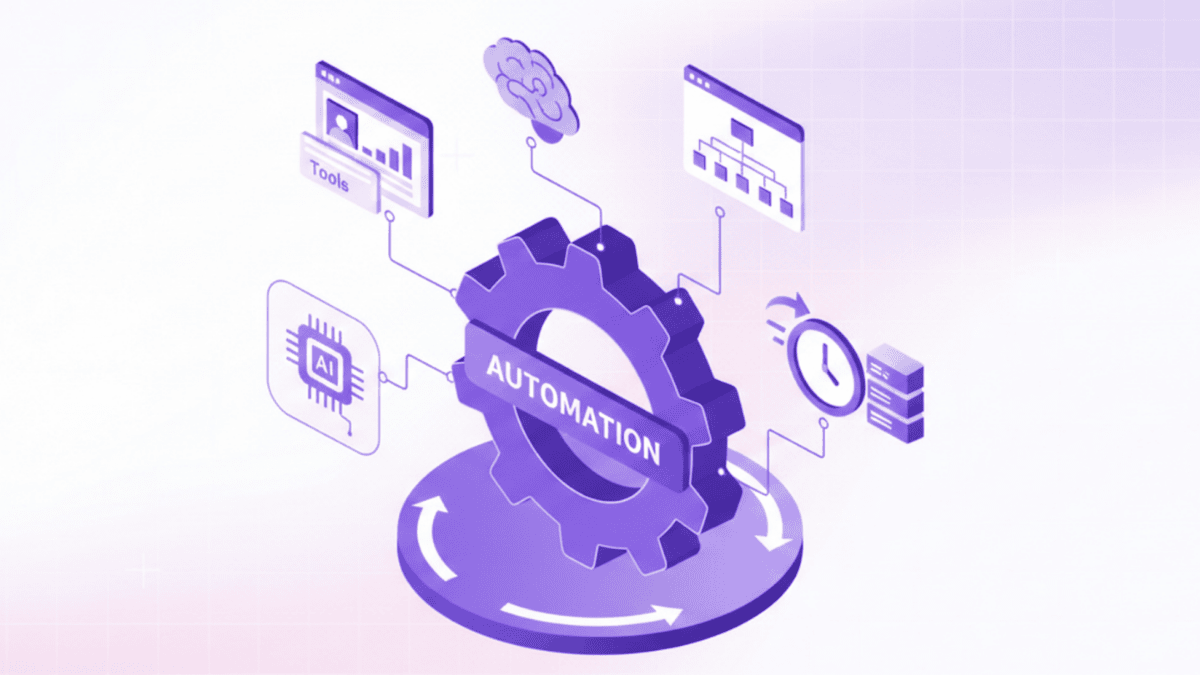
Sales automation is the use of software to handle repetitive, rules-based, or information-intensive tasks in the sales process without requiring manual human effort each time.
The definition has two important parts. First, the tasks it automates are repetitive; they happen often enough that the cumulative time cost is significant. Responding to security questionnaires, writing follow-up emails, finding the right case study, and refreshing competitive positioning: none of these require a senior sales hire's judgment, but collectively they consume hours of senior sales talent every day.
Second, automation handles these tasks without requiring manual human effort each time. This is different from tools that merely assist humans: a calculator assists, but you still have to decide what to calculate. Automation means the task runs with minimal human initiation, triggered by an event, a query, or a workflow, rather than a person manually starting from scratch.
What automation does not mean
Sales automation does not mean removing humans from the sales process. The high-value activities that drive revenue, building relationships, running strategic discovery conversations, negotiating commercial terms, and navigating complex organizational politics, are not automatable and should not be. Automation's purpose is to clear the path for those activities by handling everything around them.
The practical question for any sales team is not "should we automate?" but "what specifically should we automate, and what do we protect from automation to preserve the human judgment that closes deals?"
Categories of sales automation
Sales automation breaks into several distinct categories that address different parts of the sales workflow:
- Outreach automation handles prospecting sequences, multi-touch follow-up cadences, and email personalization at volume.
- Proposal and response automation generates RFP responses, security questionnaires, and proposal documents from verified knowledge bases.
- Content automation creates personalized collateral, such as decks, one-pagers, and statements of work, tailored to specific buyers without manual assembly.
- Intelligence automation keeps competitive battlecards, win-loss patterns, and market positioning continuously up to date.
- Conversation automation analyzes meetings and calls to surface deal signals, qualification insights, and follow-up recommendations without requiring manual note-taking.
Core sales automation use cases
1. Outreach and prospecting
The most widely adopted sales automation category, outreach automation handles multi-step prospecting sequences: initial contact, follow-up touchpoints, and channel variation across email, phone, and social. Rather than a rep manually scheduling and writing each touchpoint, sequences run automatically based on prospect behavior, opening an email, clicking a link, or not responding after a defined interval.
The productivity impact is significant for SDR-heavy teams: one rep can run the same thoughtful multi-touch sequence for hundreds of prospects simultaneously that would require dozens of manual hours if executed by hand. The automation handles timing and execution; the rep's contribution is the initial strategy and the message quality.
2. RFP and proposal automation
Responding to RFPs, RFIs, and security questionnaires is among the most time-intensive tasks in enterprise sales. A mid-complexity RFP can consume 30 to 40 hours of combined SE, sales, legal, and subject-matter expert time when handled manually, including hunting for current certifications, verifying technical specifications, assembling consistent responses, and coordinating review cycles.
AI response generation automates this process by drawing from a continuously updated knowledge base of pre-approved answers, product specifications, and compliance documentation. Rather than starting from scratch for each RFP, teams work from auto-generated first drafts that pull verified content from connected systems, completing responses that previously took days in a fraction of the time. The human contribution shifts from information assembly to review, customization, and strategic positioning.
Bid and proposal teams that automate this workflow report being able to pursue significantly more RFP opportunities with the same headcount, because each response requires less total time, and teams can respond to a volume previously impossible to handle without adding staff.
3. Content and collateral automation
Every time an AE prepares for a discovery call, a solutions engineer tailors a technical presentation, or a rep sends a follow-up with supporting materials, someone is assembling content: finding the right slides, pulling the relevant case studies, and customizing messaging for the specific buyer's industry and role.
Done manually, this is repetitive work that looks slightly different each time. Automated, it is a triggered process: define the buyer profile, the deal stage, and the relevant context, and a sales collateral builder generates personalized decks, one-pagers, and proposals shaped to that buyer's exact needs. The output reflects the buyer's industry, their stated priorities, and their specific use case, without the rep spending 45 minutes pulling components from four different folders.
The consistency benefit is as significant as the time saving. When every rep generates collateral from the same verified content library, messaging stays consistent across the team. Buyers receive consistent, professional materials regardless of which rep manages their account.
4. Competitive intelligence automation
Competitive positioning changes constantly. Competitors release new features, adjust pricing, change their messaging, win or lose key deals, and shift their go-to-market approach. A battlecard that was accurate six months ago may actively mislead your team today if a competitor has addressed a weakness you were counting on.
Manual competitive intelligence maintenance is expensive: someone has to monitor competitor activity, synthesize changes, update battlecards, and distribute the updates to the field. For most teams, this happens quarterly at best, which means reps routinely enter competitive conversations with outdated positioning.
A battlecard agent automates this continuous monitoring and refresh cycle, tracking competitor activity and generating content using pre-approved messaging and brand-compliant terminology. Reps access competitive intelligence that reflects current reality rather than last quarter's snapshot, which changes how confidently they handle competitive objections and differentiation conversations.
5. Post-meeting follow-up automation
The 30 minutes after a sales call are a reliable drain on productivity. The rep needs to write a follow-up summary, find the case study referenced during the conversation, pull the technical documentation the prospect asked about, draft next steps, and potentially send relevant collateral, all while the conversation is fresh. Multiplied across every call in a week, this post-meeting administration consumes hours of selling time.
SiftHub’s Gen AI personalization automates this post-meeting workflow by processing conversation context and generating follow-up emails personalized to the specific deal discussion, not a generic check-in. Still, a message that references what was discussed, surfaces relevant assets, and proposes concrete next steps. The rep reviews and sends rather than writes from scratch, compressing what would take 30 minutes into under 5 minutes.
Beyond follow-up drafting, conversation analysis surfaces deal-qualification signals: whether the discussion reveals genuine budget and timeline, whether the stated urgency is credible, and whether the champion has the organizational influence to drive a decision. This qualification intelligence helps reps and managers identify which deals deserve accelerated investment and which need a different approach before more time is spent.
Sales automation by role
Different roles face different automation opportunities. A useful framework for each is: which tasks repeat most often, which consume the most time relative to the strategic value they produce, and which are most susceptible to quality inconsistency when done manually?
1. Account executives
AEs spend significant time on content assembly, preparing for calls, tailoring presentations, customizing proposals, and following up with relevant materials. Automation that handles collateral generation and follow-up drafting directly addresses the AE's largest time sinks outside of actual sales conversations.
The secondary opportunity for AEs is qualification discipline. Automated analysis of conversation signals helps AEs assess deal health objectively rather than relying on optimistic gut feel, reducing the time invested in deals that were never going to close.
2. SDRs
For SDRs, outreach volume and consistency are the automation priorities. Running thoughtful multi-touch sequences manually does not scale; automation enables one SDR to execute high-quality outreach for hundreds of prospects simultaneously. The SDR's value lies in crafting effective sequences and personalizing the highest-value touchpoints; the automation handles execution.
3. Bid and proposal teams
For teams primarily responsible for responding to RFPs and technical questionnaires, proposal and response automation can be truly transformative. The manual process, which includes locating up-to-date certifications, verifying product specifications, coordinating input from subject matter experts, and assembling consistent, accurate responses, consumes a disproportionate amount of time per submission. It also introduces ongoing quality risks, as human errors and inconsistencies can easily slip through under tight deadlines.
Automation of this workflow changes the team's function from content assembly to content strategy: deciding which RFPs are worth pursuing, what differentiating angle to emphasize, and where customization beyond standard responses will improve win probability.
4. Sales managers
Managers benefit primarily from automation that surfaces the intelligence needed to coach effectively. Conversation analysis that flags deal risk signals, win-loss patterns that reveal where the team is losing, and pipeline visibility that identifies coverage gaps. These are management automation use cases that improve decision quality without replacing the human judgment at the center of good coaching.
Productivity gains: What teams realistically achieve
The productivity impact of sales automation compounds across the team because time savings multiply by headcount and by frequency. Teams that automate across multiple categories—outreach, proposals, collateral, competitive intelligence, and follow-up—report productivity improvements up to 80% in workflows that previously consumed the most time.
Beyond raw time savings, automation delivers quality improvements that drive revenue. Competitive battlecards that are current rather than stale improve win rates in competitive deals. Follow-up emails that reference the actual conversation rather than generic templates produce higher engagement. Proposals assembled from verified, approved content have fewer errors than those assembled manually under deadline pressure.
SiftHub automates the entire deal cycle, including enterprise search, which surfaces pre-call context in seconds, a sales collateral builder creates customized presentations from approved templates, and a smart repository maintains consistent messaging as positioning evolves. Post-call follow-ups reference specific conversations with accurate specs, while AI RFP software manages the full RFP lifecycle, reducing what took bid teams 8-12 hours to under 2 hours. Organizations report 50-70% reductions in prep time while improving quality and competitive accuracy.
The metric that matters most to sales leaders is not hours saved but time spent selling recovered. Only 28% of a salesperson's time currently reaches actual selling conversations. Each hour of automation frees time that can shift from administrative work to customer conversations, which directly compounds into pipeline and revenue.
Teams that adopt automation systematically report being able to handle significantly more pipeline coverage with the same headcount, rather than needing to hire proportionally to growth in deal volume. Organizations can pursue more opportunities, respond to more RFPs, and equip more reps to handle competitive situations confidently without the headcount costs of manual scaling.
What automation cannot replace
Every discussion of sales automation requires an honest accounting of what it does not and should not do.
- Relationship building. The trust that drives enterprise purchase decisions is built through human interaction: the judgment, empathy, and credibility that a person conveys in conversation. No automated follow-up, however well-personalized, replicates the relationship built through authentic human engagement over time.
- Complex negotiation. Commercial negotiation requires reading the room, making judgment calls about what to concede and when, and understanding the organizational dynamics on the other side of the table. These are human skills that depend on context; no automation can fully capture them.
- Strategic discovery: The questions that reveal what a buyer actually needs, rather than what they say they need, require active listening, hypothesis testing, and real-time adaptation. Good discovery is a craft; automation can support it, but cannot conduct it.
- Relationship recovery: When a deal stalls, a relationship goes cold, or a prospect pushes back unexpectedly, the recovery requires a human who can assess the situation and respond with judgment. Automated sequences do not navigate nuance.
The practical implication is that automation should be designed around these constraints. The goal is not to automate as much of sales as possible; it is to automate everything that can be automated without degrading the quality of human interaction, so that human effort concentrates entirely on what requires it.
Building your automation stack
Most teams that struggle with sales automation adoption make the same mistake: they try to automate everything simultaneously. The result is implementation fatigue, inconsistent usage, and abandonment before any single automation reaches the adoption level where it delivers full value.
A more effective approach sequences automation adoption by impact and implementation complexity. Start with the highest-frequency, highest-time-cost tasks that have the clearest automation solution: outreach sequences for SDR-heavy teams, proposal automation for teams handling significant RFP volume. Achieve strong adoption and measure the impact before expanding.
The integration architecture matters as much as the tools themselves. Automation that requires manual data entry to function defeats its own purpose. Tools that connect to your CRM, document repositories, communication platforms, and knowledge bases, and sync in real time rather than requiring periodic manual updates, deliver compounding value as the connected knowledge base grows.
Measurement is the discipline that separates teams that sustain automation investment from those that drift back to manual processes. Track time-per-task before and after automation, monitor adoption rates by rep and team, and connect automation metrics to pipeline and revenue outcomes. Time savings that do not translate into increased selling activity or improved win rates indicate implementation problems worth investigating before adding more automation.